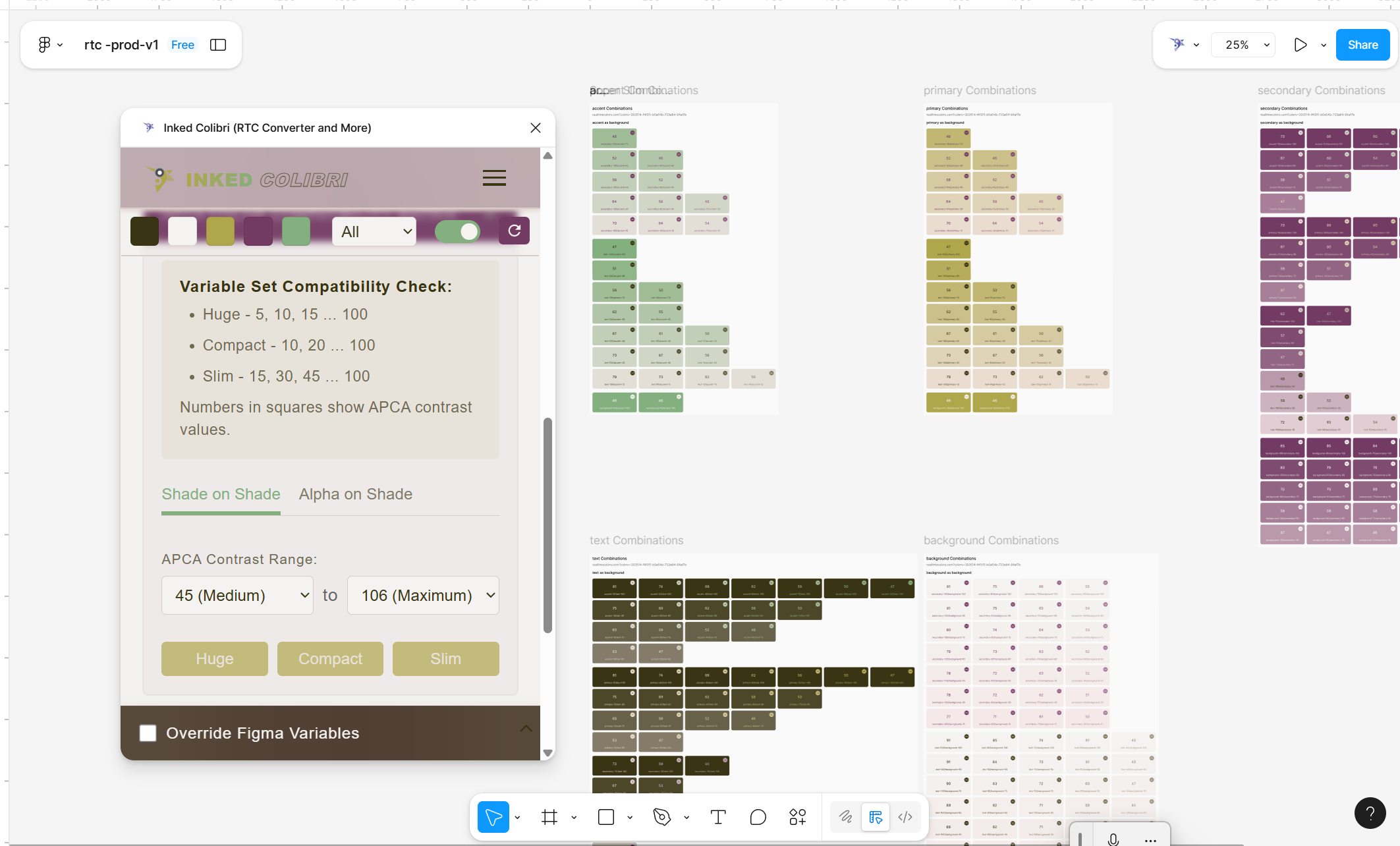
APCA Accessibility Matrix
This isn’t a contrast checker for two colors — it tests every pair your current scheme can make, at once.
What it does
The plugin takes the reactive variables already in your RTC collection and generates every possible pair between them, scoring each pair with its APCA index. Instead of testing one foreground/background combo at a time, you get a full matrix and can scan it for the pairs that actually work.
Two modes:
- Shade-on-shade — every solid shade tested against every other solid shade.
- Alpha layer — pick one shade as the base, then test every alpha step on top of it.
You can also limit generation to an APCA index range (15–106) so large matrices stay focused on the contrast quality you actually need.
Because every cell is labeled with your real RTC variable names, a good pair you find here is immediately usable — not a hex code you have to go look up and re-bind later.
How to use it
- Make sure a color scheme already exists in RTC — see Generate Your Color System.
- Open Inked Colibri → APCA Matrix.
- Choose the roles and mode (shade-on-shade or alpha layer).
- Optionally limit by APCA index range.
- Generate. If you change the palette afterward, regenerate — old scores go stale.
Reading the index
| APCA value | Typical use |
|---|---|
| 70+ | Small text, UI labels, fine detail |
| 40–70 | Large text, bold type |
| Below 40 | Backgrounds, decorative elements |
Smaller or lighter type needs a higher score; large or bold type can work with less.