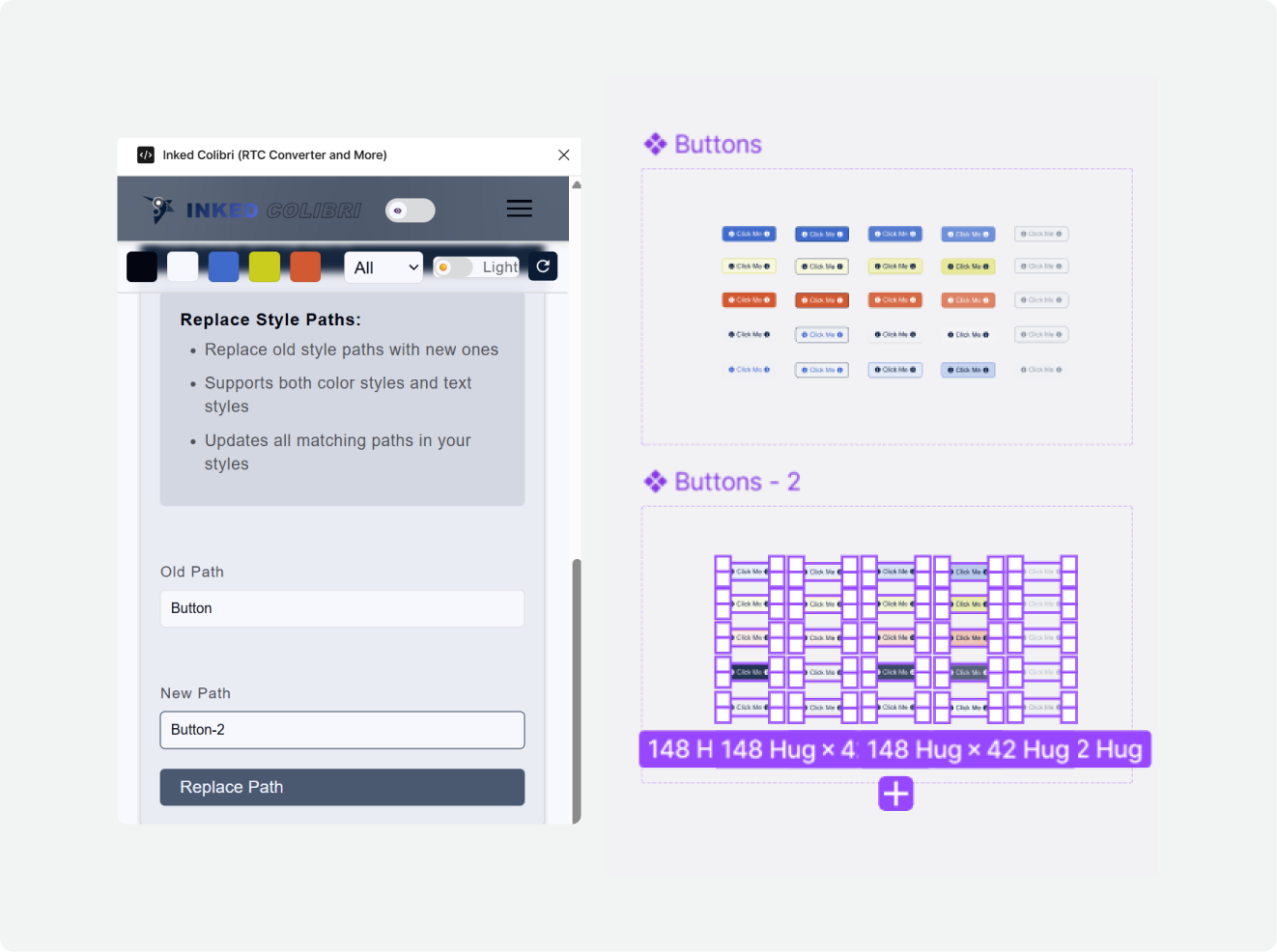
Replace Style Path
Rename or retarget many style paths in one action — keep experimenting with themes without a manual relink pass.
The problem
After you duplicate a variable set for a new theme, or regenerate styles with Token Commander under a new prefix, style paths no longer match. Fixing button/... → button-2/... on every style by hand does not scale.
What it does
Replace Style Path bulk-updates style path strings so styles point at the new hierarchy while the overall binding model stays intact.
Typical uses:
- Theme variants (
button→button-2) - After Token Commander creates a parallel style group
- Cleaning naming when structure changes but parallel paths remain
How to use it
- Open Replace Style Path.
- Select the scope (the styles / layers that should change).
- Enter the original path segment and the target segment (e.g.
button→button-2). - Run Replace.
Keep paths parallel (button/state/plate → button-2/state/plate) so the rest of the hierarchy still lines up.
Example workflow — try a new theme without losing the old one
- Validate the current palette (e.g. APCA matrix).
- Export color styles as JSON with Token Commander.
- Ask any AI for an accessible alternative; generate new styles under a new prefix.
- Use Replace Style Path to swap the old prefix for the new one on the selection that should adopt the variant.
- Original theme remains available under the old paths.
FAQ
Use Replace Style Path when style *paths* must change (rename / new theme prefix). Use Rebind Variable when components moved files and variable links detached but names are unchanged.