Color Swatches & Rollback
Try ten color directions without fear. Any of them is one click away from being restored.
What it does
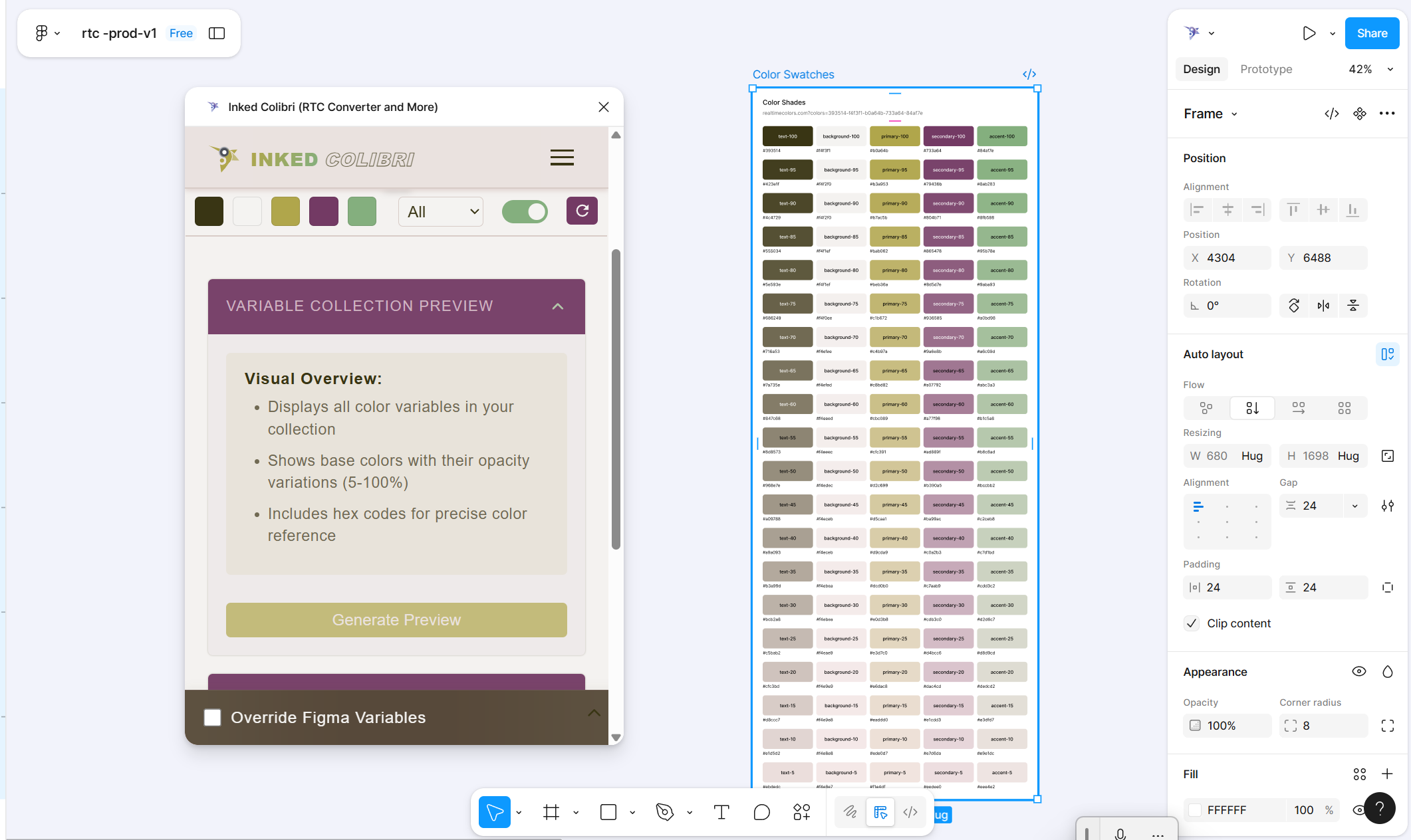
Exploring color usually means overwriting the only working scheme you had. Color Swatches snapshots your current reactive color system into a Figma frame before you touch anything else.
Each frame shows the solid shade and tint ramps for every role in the scheme — no alpha steps. Alpha stays in the RTC variable collection for design use; it’s left out of the frame so the snapshot stays easy to scan.
Each frame also carries the Realtime Colors URL for that exact scheme — that’s what makes rollback possible.
How to use it
- Generate a color scheme (see Generate Your Color System).
- Open Color Swatches → Generate Swatches — a frame is created with the shade/tint ramps and the Realtime Colors URL.
- Try another scheme, generate another swatch.
- To restore: select a swatch frame → Rollback Scheme. Variables update to that palette.
Good for
- Comparing two or three brand directions side by side
- Keeping a visual history while you experiment
- Restoring a specific scheme without guessing hex values
FAQ
No. Swatch frames show solid shades and tints only. Alpha variables stay in the RTC collection for design use, but they're left out of the frame so the snapshot stays readable.