🧩 Token Commander β€” Generate and Manage Variables and Styles Effortlessly

Comprehensive JSON structure management and AI-assisted editing for design tokens and variables

🧩 Token Commander β€” Generate and Manage Variables and Styles Effortlessly

Before You Begin

Prerequisite Knowledge

Before using Token Commander, make sure you understand the JSON structure described in the previous article. Token Commander relies on the same flat JSON format to create variables and styles correctly.


Problem Context (Pain Point)

Creating variables and styles manually is one of the most repetitive parts of building a design system.
Each variable must be named, typed, and organized under the right path β€” a process that quickly becomes error-prone and time-consuming.

Even with AI tools assisting, it’s easy to lose structure or generate invalid JSON if the rules aren’t followed carefully.


How Inked Colibri Solves It (Feature Overview)

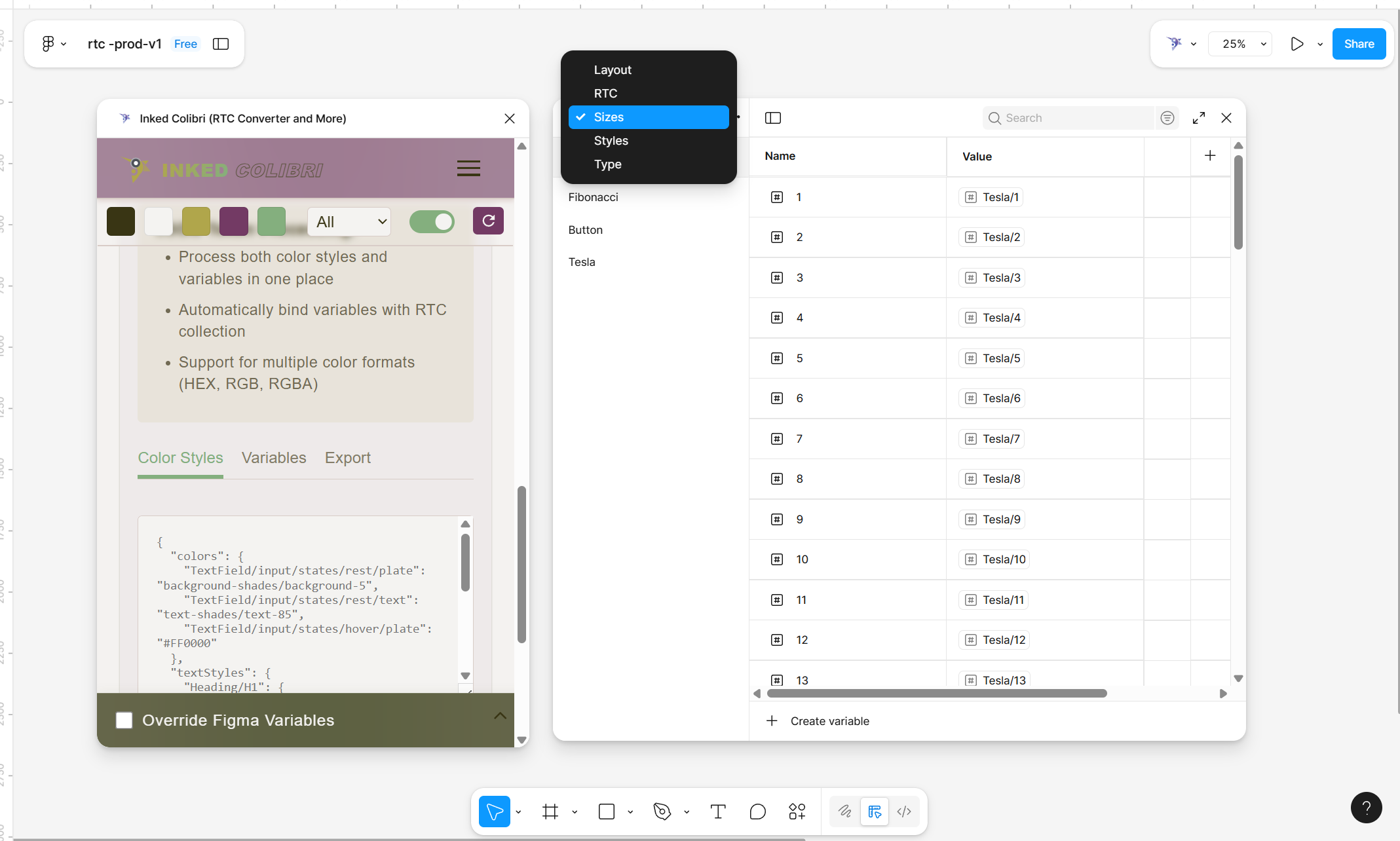
Token Commander takes your JSON scheme β€” either pasted directly or uploaded as a file β€” and generates all the corresponding variables and styles in Figma automatically.

Whether you’re managing a small token set or a large design system, Token Commander handles both Variables and Styles in seconds, as long as your JSON meets the structure standards described earlier.


Why Use Token Commander

  • ⚑ Instant generation β€” paste your JSON and create full variable sets in seconds.
  • 🧩 Unified structure β€” ensures naming, typing, and grouping stay consistent across variables and styles.
  • πŸ” Flexible export options β€” export small or large chunks of JSON to refine or regenerate with AI tools.
  • 🎨 Supports both workflows β€” text styles and color styles are supported out of the box, with future plans for more style types.

Detailed Explanation

How It Works
  1. Open Token Commander from the plugin interface.
  2. Choose between Variables and Styles tabs.
  3. Paste your JSON directly into the text area or upload a .json file.
  4. Click Execute β€” if your JSON structure follows the standards, the variables or styles will appear in your Figma file instantly.

Note

Token Commander works instantly if your JSON structure follows the standards in the JSON Schemes article.


Export JSON

Token Commander isn’t just for importing β€” it also lets you export JSON for further refinement or AI-assisted editing.

  1. Select the top-level collection you want to export.
  2. Choose whether to export by File or Frame.
  3. Click Export JSON.

This will give you a clean, readable JSON output of your current variable collection.

πŸ’‘ Tip

It’s best to export smaller chunks (specific collections) rather than the entire library. Exporting everything at once can make AI conversations harder to manage and increases the risk of errors.


Supported Styles

Currently, Token Commander supports:

  • πŸ”€ Text Styles
  • 🎨 Color Styles

Other style types (like effects or grids) may be added in the future, but the focus remains on the styles most commonly used and deeply integrated into Figma’s design workflow.

When exporting styles:

  1. Choose between Text or Color.
  2. The plugin will display a checkbox list of top-level groups.
  3. Select one or more groups to export β€” but keep it simple. Smaller, focused chunks are easier to handle and communicate with AI.

Result / Takeaway

Token Commander bridges the gap between structured JSON data and fully functional design tokens inside Figma.
It allows designers to generate, export, and manage variables or styles effortlessly, keeping design systems consistent, scalable, and adaptable β€” even when working with AI-assisted workflows.

Written by Narek Ch